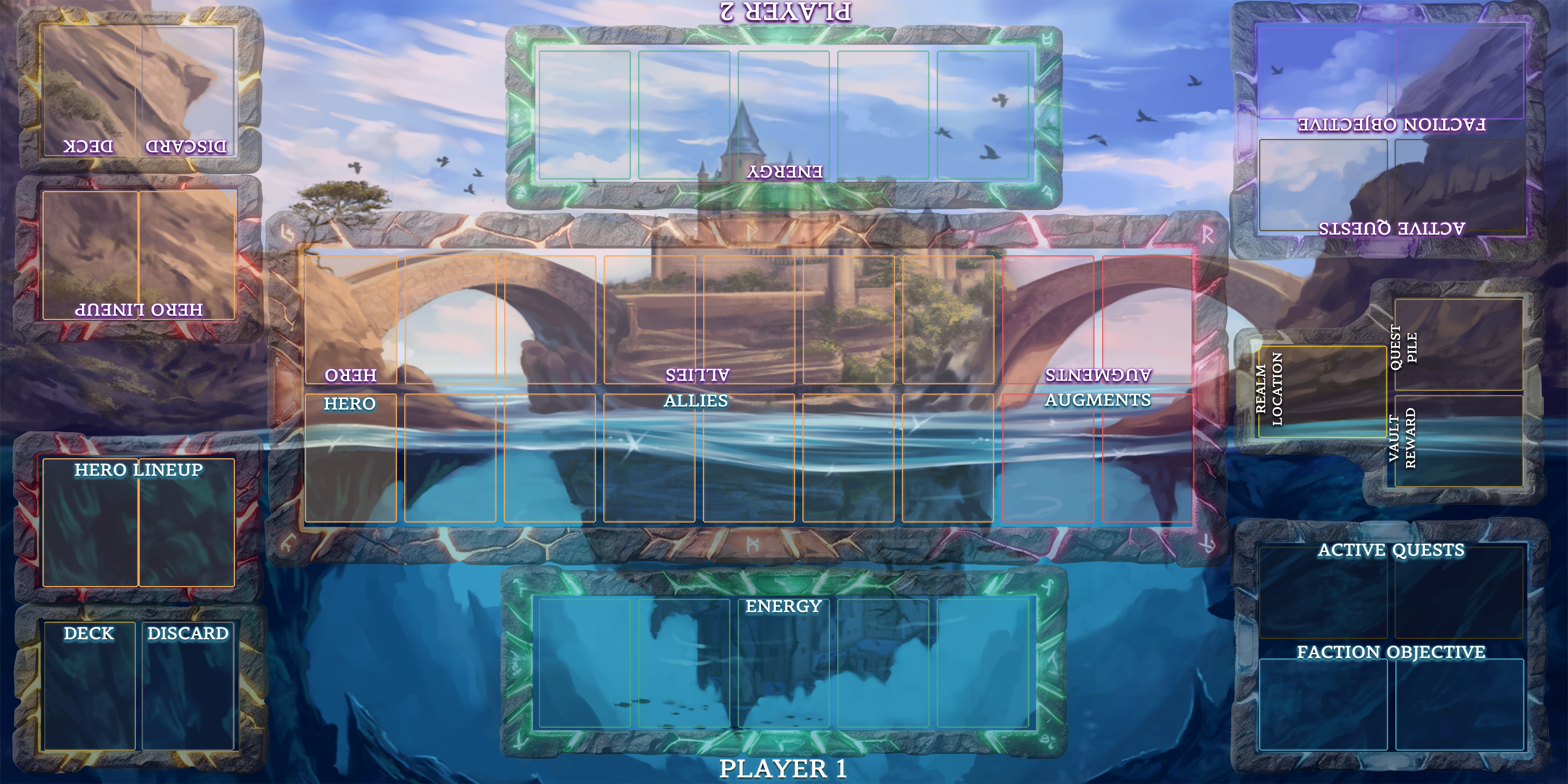
The Archaic Realms playmat as it appears in Tabletop Simulator. P1 plays the Divine side; P2 plays the Shadow side. Every zone matches the physical layout — the engine simply automates the upkeep. Now running Mod v1.1 with the full v4.0 gear and hero systems.
The TTS playmat carries the identical zone layout to the physical board — Hero Lineup, the Realm, Energy, Quest slots, Faction Objective, Deck and Discard. If you know one, you know the other. Switch to the Physical Board tab to explore what each zone does.
You won't find printed tracks for Realm Control Points or your Unstable Archaic Energy pool on the mat. In TTS these are rendered by the game engine — RCP counters sit in the screen corners, and your UAE pool is tracked live in the on-screen readout. Nothing to count by hand.
Decks shuffle, opening hands deal and Quests fill automatically. Combat highlights, HP threshold crossings, RCP gains and Vault rewards all resolve through the engine — so you can focus on the decisions, not the bookkeeping.
At the table you claim Gear from the Vault and equip it directly. In TTS, Vault rewards are dealt to your hand — right-click → Equip and the card snaps to its slot beside your Hero. Armor depletion, weapon ATK bonuses and Attune effects are all engine-tracked, Gear repositions itself on every Hero swap, and a fallen Hero's Gear is stripped to the Discard automatically.
Get the mod on Steam Workshop ↗ · How to play in TTS → · Explore physical zones